| Occult Watcher 3.2 |
| EVENTS | CONFIGURATION | EVENT DETAILS | OBSERVATION PLANNER | C2A ADD-IN | MORE ADD-INS | TROUBLESHOOTING | DOWNLOAD |
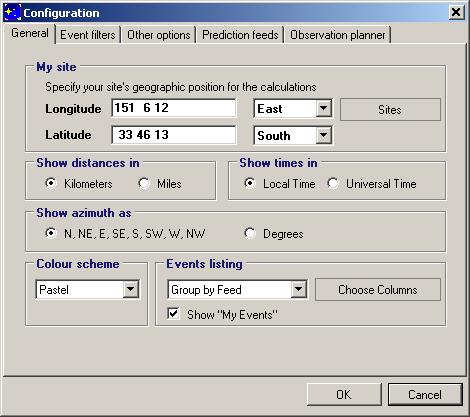
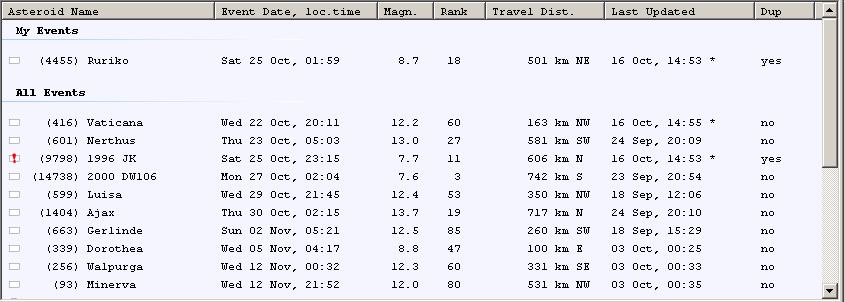
When you first start OccultWatcher it will ask you to enter your site coordinates. You can also configure some general settings such as do you prefer distances to be shown in kilometres or miles, times to be displayed in local time or universal time, azimuths to be shown as degrees or as directions etc. If you choose the time to be shown as your local time (this is the default value) then your windows regional settings will be used to determine the local time depending on your configured time zone and current date/time. Occult Watcher will correctly adjust for the daylight savings time as well.
OccultWatcher supports two ways of listing the events - Chronologically or Grouped by Feed. This is configured from the "Events Listing" option.
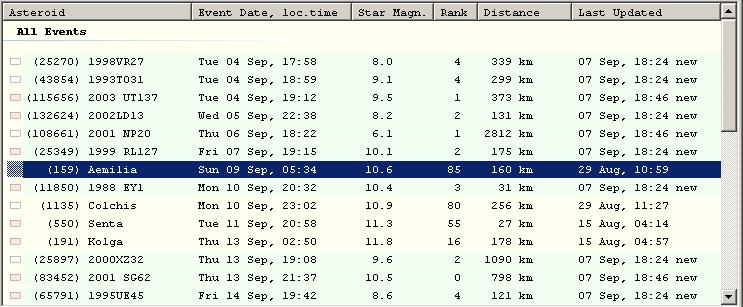
When the events are listed "Chronologically" it is possible that there are more than one prediction of the same event coming from different feed but still this event will be listed only once. In this case what OccultWatcher considers a more accurate prediction will be used. "IOTA Update" predictions are considered most accurate as they have been made using the NOMAD star catalog and manually computed asteroid orbit using a very recent astrometry and using weighting of the available positions. To determine which of the predictions comming from the other feeds is more accurate, OccultWatcher may compare the star catalog used, the version of ASTORB data and others.
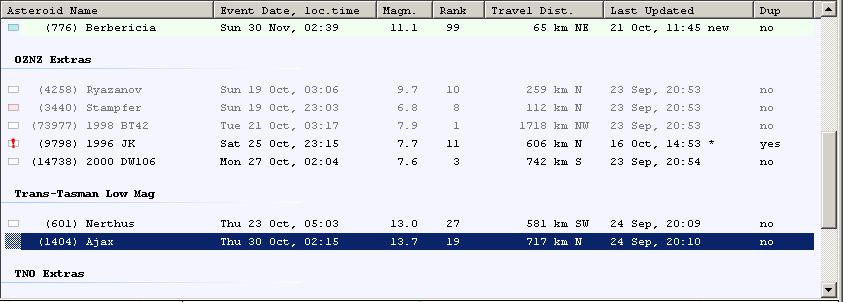
In the "Group by Feed" mode all events are grouped by the feed that lists them and if there are duplicated event they will appear once under each feed that provides a prediction of the event.
If "My Events" are enabled then there will be group called "My Events" at the top and it will include all events you have announced stations for or you have marked for "Follow up".
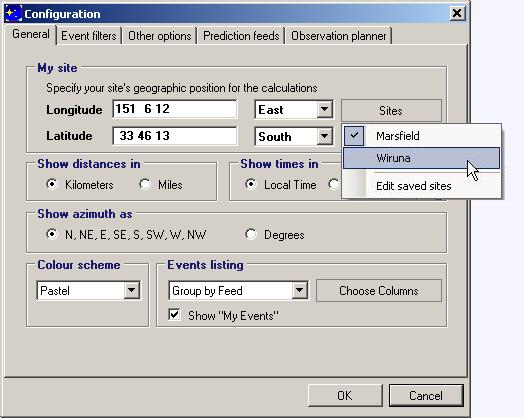
The "Saved" button allows you to quickly switch your home site with previously saved locations. This is a good way to check the events close to two different places such as your home and the dark observing site of your atro-club. Only sites that have not been marked as "Favorite Mobile Location" will be displayed in the drop down list.
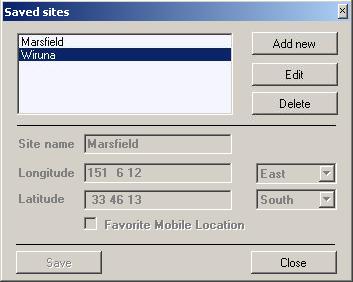
To edit your saved locations choose "Edit saved sites" and then use the form to add/edit your saved sites. All sites that are not marked "Favorite Mobile Location" could be used as a Home location. The "Favorite Mobile Location" sites can be shown on the GoogleMap when selecting an observing site. They are also shown as an option for the one-click station announcement from "Add to 'My Events'" -> "Observe from ...". See the Observation Planner page for more information on announcing stations.
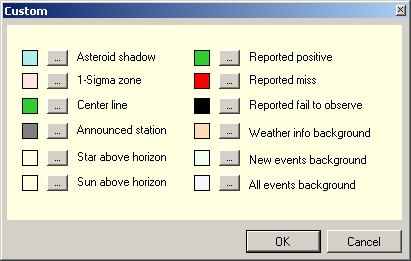
There are three colour schemes that can be used with Occult Watcher: Pastel, Contrast or Custom. The Custom scheme allows you to redefine the colors to suit your own liking.
From the "Event filters" tab you define the filters Occult Watcher will use to search for events near your configured home location. You can define one filter for events coming from all feeds or custom filters for the different feeds. The Default Filter will be used for all feeds for which no special filter is defined.
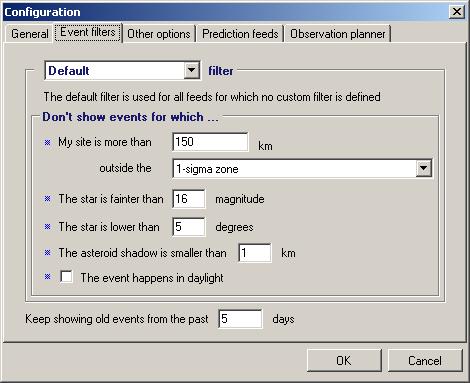
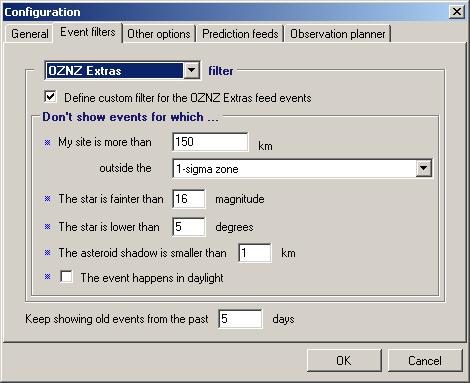
You can also define a specific filter to be used for a particular feed. To do this select the feed from the drop down (you must have subscribed for it and synchronized once in order to see it listed) and then check "Define custom filter" and define your filter.
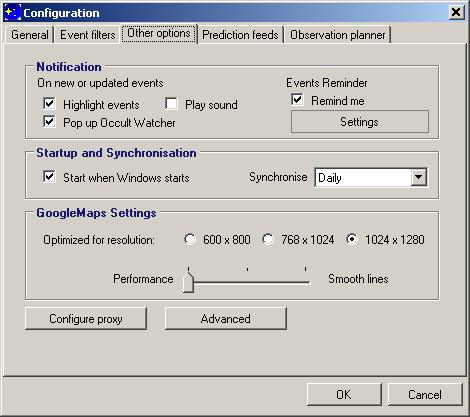
In the "Other options" tab you can adjust the notification and start up options, synchronization and GoogleMap settings. Synchronization could happen Hourly, 6 Hourly or Daily. Depending on your screen resolution you may want to customize the GoogleMap frame size to fit your screen best. Also the GoogleMap experience can be configured for a petter performance (the map with work quicker) or for smoother lines - the map will work slower but the lines will be much smoother especially in small zoom levels.
The 'Proxy' and 'Advanced' settings are covered at the bottom of this page.
Also if you want to use a reminder check the "Remind me" checkbox. The reminder options are shown below in the advanced settings section.
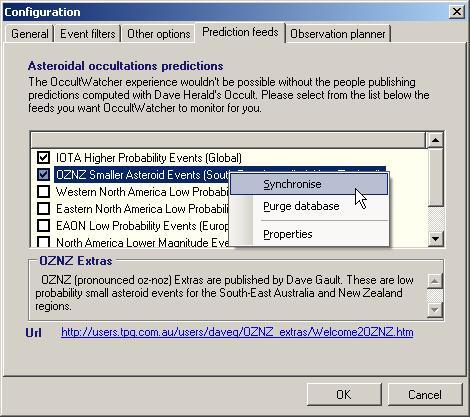
From the "Prediction feeds" page you can subscribe for the available feeds. The "IOTA Updates" feeds cannot be deselected. On a right click there are extra options of Synchronising with the selected feed, purging its locally stored data or viewing some extra properties for this feed (OW technical information only)
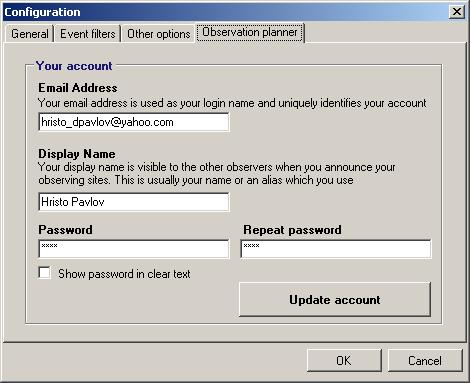
Before you can announce your stations and collaborate for the asteroidal occultations observations you have to create an Observation Planner account. You can do this from the "Observation planner" tab. If you have an existing account you can set it to be used on a new installation of OccultWatcher or you can update your display name and password.
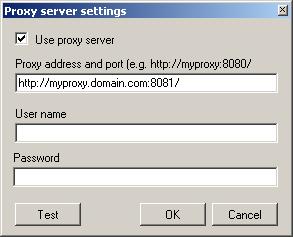
If you require a proxy server to connect to internet you can configure it from the 'Proxy' settings available from the "Other options" tab.
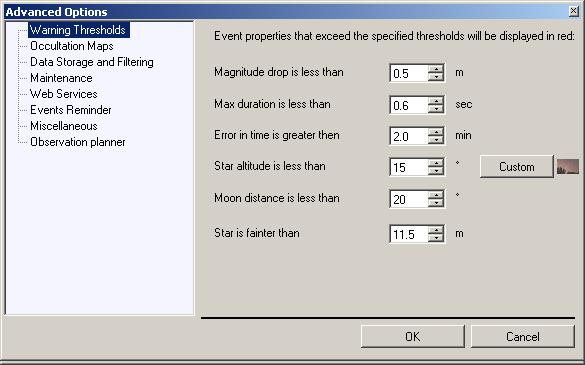
The advanced settings are available from the "Other options" tab. There are 8 advanced settings tabs. The first one is the Warning Threasholds. If one of the properties of an event exceeds the specified threashold it will be shown in red on the details panel. The threashold values can be configured from this tab. Also you can define a user horizon from the "Custom" button, that Occult Watcher will consider and will warn you if the star is close, too close (<2 deg) or behing your user horizon.
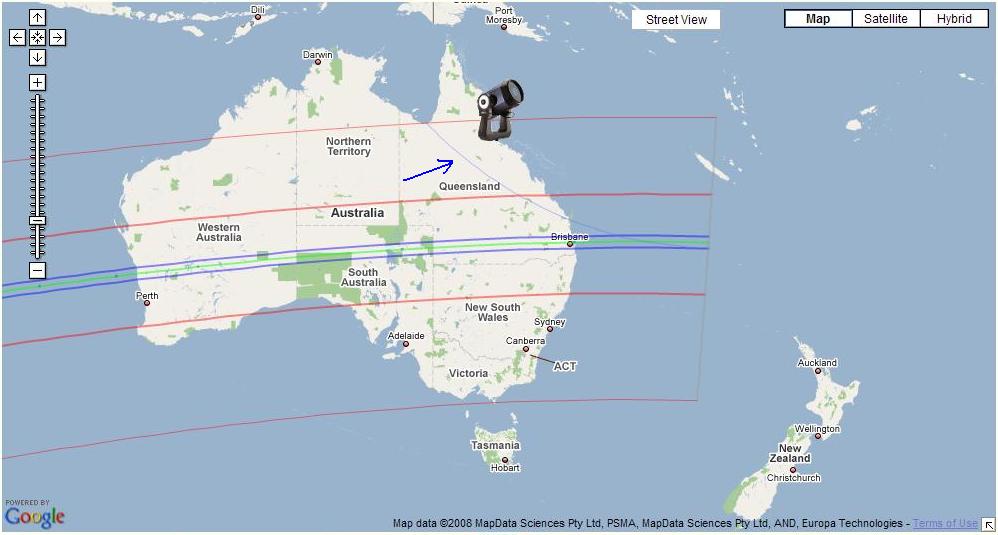
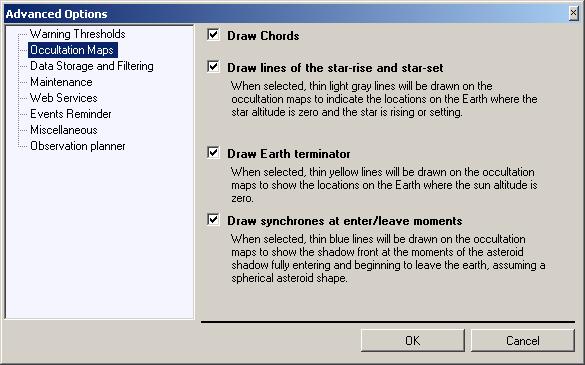
The second tab allows some customizations to be doe to the occultation maps (mainly GoogleMaps). When "Draw Chords" is selected OW will draw a line representing the chord at which every annonced station is located. The "Draw lines of the star-rase and star-set" will control whether the line on Earth where the star altitude is zero will be drawn. The star altitude is shown at the time of the closest approach for the configured home site. As for some asteroidal events it may take 20 min or more for the shadow to cross the whole Earth, the star altitude line may be out by 6 deg or more for places far from the observer's home location. The "Draw Earth teminator" option controls whether the sun raise and set lines and the 6deg and 12 deg twilight lines will be drawn. Again those lines are drawn for the time of the closest approach to the configured home site and may be out by few degrees for locations far from your home site. Synchrones are lines representing the position of the shadow at the same moment in time. Those lines are perpendicular to the projected shadow edges only for the time of the minimum separation with the center of the Earth and can be under a considerable angle for the moments of the shadow entering or leaving the Earth. The application of this information for the observer is limited. See the bottom of the page for additional information.
The third tab contains settings that control the data storage and cached information and settings that control some aspects of the filtering of the events. As soon as you switch to this tab OccultWatcher will start computing the space occupied by the downloaded prediction data and the cached data. This may take from a few seconds to a minute depending on the speed of your computer and the number of feeds you have subscribed for. Once this completes OccultWatcher will show you the total disk spaced occupied by the predictions (which excluded cached data), the space occupied by old predictions and the space occupied by cached data.
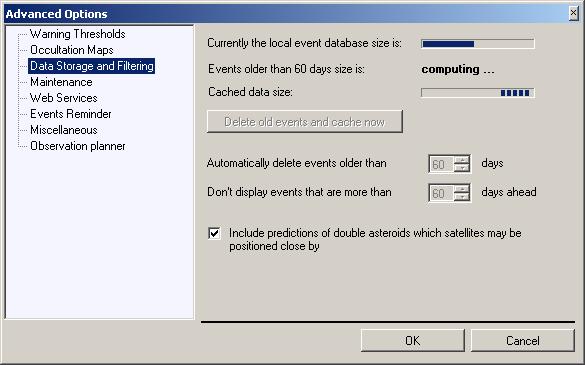
By default OccultWatcher will automatically delete all predictions that are older than 60 days and you can configure a different event age if you like. The check is done after a synchronisation but you can also force delete old events by pressing the "Delete old event and cache now" button. Most of the cached data will be downloaded the next time you synchronise. The diskspace occupied by the predictions should be rediculously small compared to the nowadays hard disk sizes, but if you want to free some more space you can always do this from here.
OccultWatcher by default does not include in the list predictions that are more than 60 days in the future. Most of the prediction feeds also do not include events that far in the future. However if you are using your own personal predictions or custom feed you can control how many predictions to be included. And finally another setting, which location should have been on the Events Filter tab in the options, but because of the serious problems to find some room on the form has been added in the advanced settings. You can use the "Include predictions of double asteroids, which satelites may be positioned close by" to have event where occultation by the main body is unlikely, but occultation by a satelite is possible.
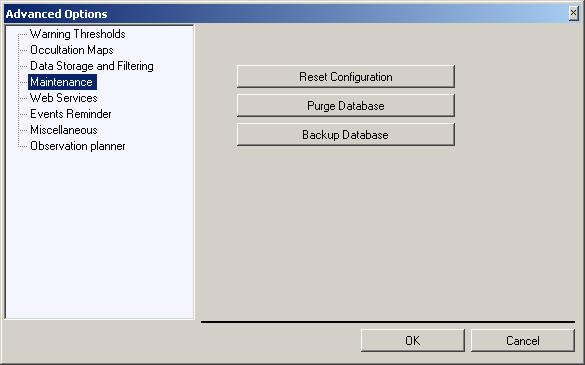
The Maintenance tab can be used to perform some maintenance related tasks. "Purge Database" will delete all downloaded predictions and cached content. This includes some configuration settings as well, and those are the saved sizes and positions of the various forms, grid columns and other UI controls. Normally you shouldn't purge your database. OccultWatcher may automatically purge the the database between software upgrades, which do some sort of data structure changes and require this operation. Other than this in some very rare cases problem with online feed data may cause a caching issue that results in an old prediction to be shown in OW. So far this has happened once in 2 years. If you want to download a fresh copy of the predictions of a feed you should always prefer purging the specific entries of this feed from Configuration -> Prediction feeds -> (right click on a feed) -> Purge database, rather than purging the whole database from here. This button is provided for solving issues which are very unlikely to happen.
The "Reset Configuration" option will delete all databases and reset all of your settings. If you do this you will need to enter your geographical coordinates again, configure your filters and sites and download all the predictions again. The "Backup Database" option is included for troubleshooting purposes. If you have some issues with OccultWatcher, you may be asked to back up your prediction database and send it for analisys to determine whether the problem is with the data or with something else. You will probably never have to use this option.
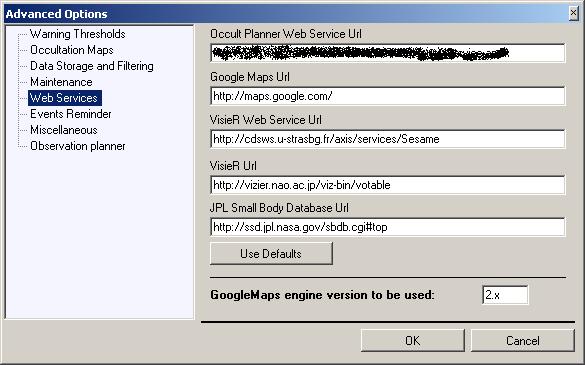
The Web Services tab can be used to configure the internet address of various online services used by OccultWatcher. You will probably never need to change those addresses unless advised to do so in a very rare case of some of those services changing their address.
Another options on this tab is the GoogleMaps engine version to be used by OccultWatcher. You should leave this setting to its default value and only change it when advised to do so in order to resolve a problem with GoogleMaps itself. This is very unlikely to happen and usually Google resolves issues with GoogleMaps pretty quickly.
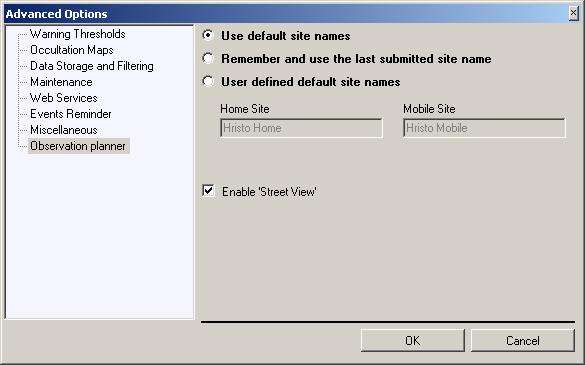
The two new tabs since ver 3.2 are the Observation Planner settings and the Reminder settings. The observation planner settings allow you to choose how your default site name will be saved when you announce stations. There are 3 options: (1) Always use the same default site names, (2) Remember and use the last submitted site name, the next time you want to submit a site and (3) use fixed names for your default home and mobile site.
The reminder options allow you to deifine your reminder. There are 3 types of reminders: Daily, Individual Event and Email reminder.
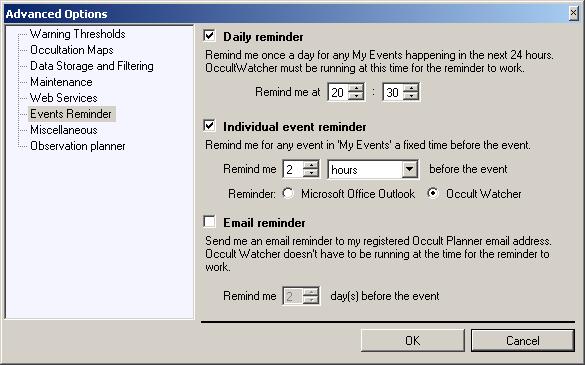
The daily reminder when enabled will be shown once a day at the configured time but only if there are any events happening in the next 24 hours. You must have added those events into your "My Events" by either announcing a station or adding the event for Follow Up.
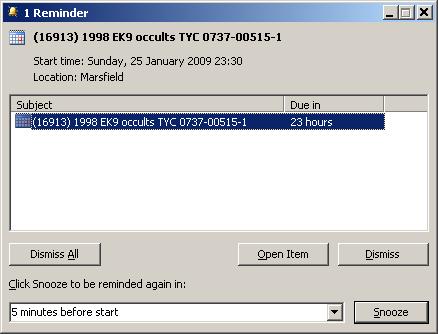
The individual events reminder is shown a configured time before the event. It can work as either an OccultWatcher based reminder or as a Microsoft Office Outlook reminder. You must have Microsoft Office Outlook XP or later version of the Outlook based reminder to work.
Below is a standard Outlook reminder for an occultation event:
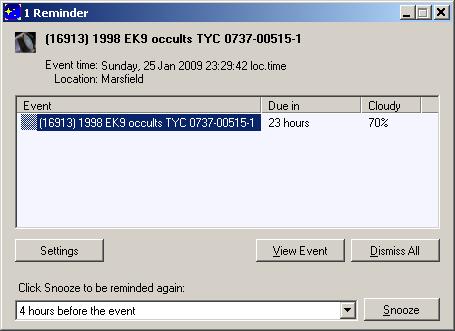
The OccultWatcher version of the reminders looks almost the same as the Outlook version but also displays weather information if available.
Finally the email reminder will send you an email a fixed number of days before the event.
The last tab contains some miscellaneous options that include:
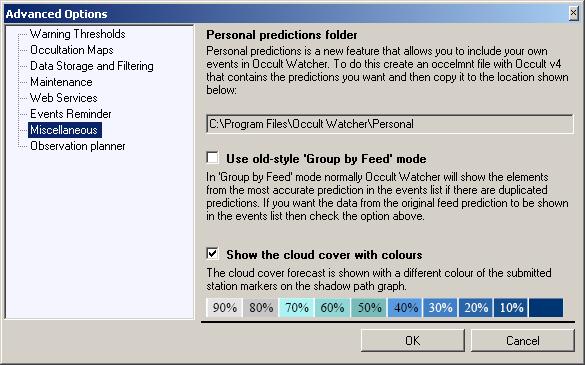
Personal predictions is great for people that want to try even more events that are available from the online feeds and want to run their own predictions using Occult. Now OccultWatcher allows those personal predictions to be listed with all the other ones for convinence. You can add them to My Events by using the "Add Event for Follow Up"
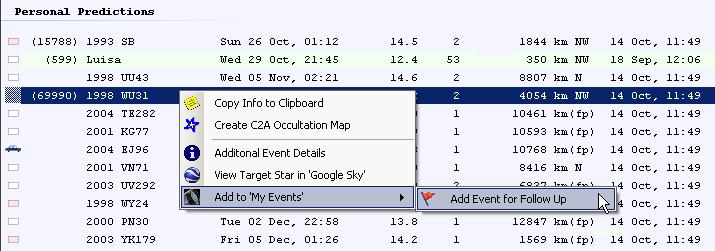
When loading personal predictions OccultWatcher will do the following: It will open up all files under the specified location (usually C:\Program Files\Occult Watcher\Personal) one by one and will pick only one of them. This will be the file that contains Occult predictions and which creation date is the latest. Then it will load all of the events and if they are new or updated predictions of existing events, OccultWatcher will add those to the local personal predictions database. Once you have copied a file into C:\Program Files\Occult Watcher\Personal and run OW at least once those prediction will be imported in the database. You may then remove the file or keep it there or copy a newer file with predictions. OccultWatcher will keep showing the Personal Predictions so long as the C:\Program Files\Occult Watcher\Personal folder exists and regardless of whether there are any prediction files in it. OccultWatcher will show the personal predictions from the local prediction database (which is different than the Occult file) and the events will stay in it even after you remove the Occult predictions file. If you want to delete the existing personal predictions from the database go to Prediction feeds -> (click on the Personal feed) -> (right click) -> Purge database.
The "Use old-style 'Group by Feed' mode" option controls whether the predictions in feeds other than IOTA will be overwritten by the IOTA Updates prediction. This is the default value (unchecked) in which case if there is a prediction in say your Personal predictions, that also exists in IOTA Updates, then this event in your Personal predictions will show up with the IOTA Updates data. This is done to avoid the confusion of multiple predictions of the same event and to coordinate the observing efforts on the same prediction.
The last option in the Miscellaneous tab is the weather info option. OccultWatcher now retrieves weather forcast info for all announced stations within the next 72 hours and displays this weather forecast with a colour code of the station bar and a tooltip.


The tooltip (when you hover you mouse over a station) will display both the cloud cover forecast and the weather stability which is derived from the lifted index - the difference in temperature of the air vertically. 0% cloud cover and hightly unstable weather means you may still be clouded and you are likely to experience fast moving clouds. 100% cloud cover and stable weather means its a total overcast. Please note that it is normal the weather forecast to change dramatically within the 72 hours period of time.
The terminator lines are drawn at the locations where the sun altitude is 0, -6 and -12 degrees. The yellow line represents the 0 degrees terminator. The terminators are computed for the time of the predicted occultation at the observer's home location. If this location is far from the terminators, their position may differ significantly for the rest of the path as for some events it may take more than 20 min for the asteroid shadow to cross the Earth.
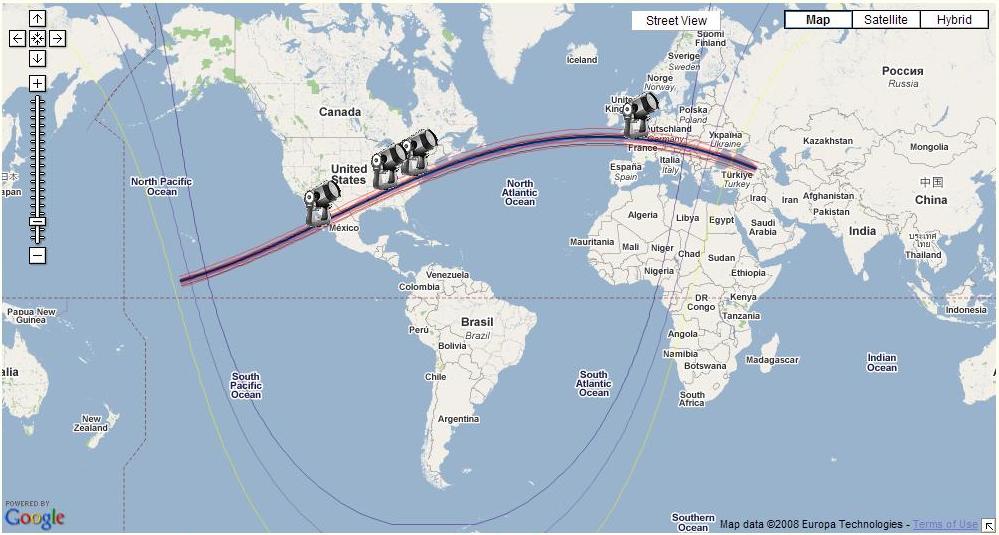
The "Synchrones" are the lines representing the possible possition of the asteroid at the same moment in time if it shifts left or right. On the fundamental plane those lines are straight but their projection on the Earth is curved. The closer the asteroid shadow to the edge of the Earth (as seen from the asteroid/star) the more curved are the syncrones of the enter/exit position.